


Version AI: AI Photo Generator
4.615.00 Reviews
App Specs
- Version
- 1.0.42
- Updated On
- License
- Free
- Downloads
- 100,000+
- Developer
- Apptribe Dijital
- Categories
- Photography
- Platform
- Android
Screenshots
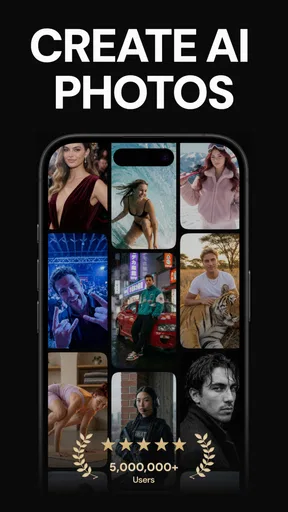
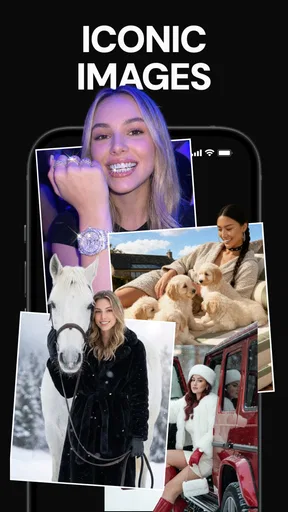
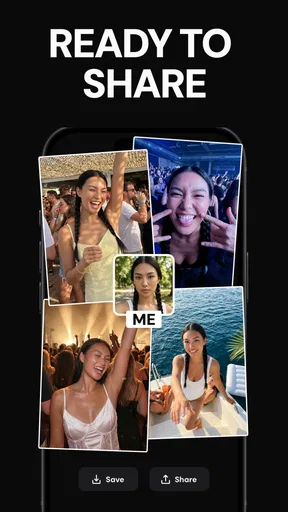
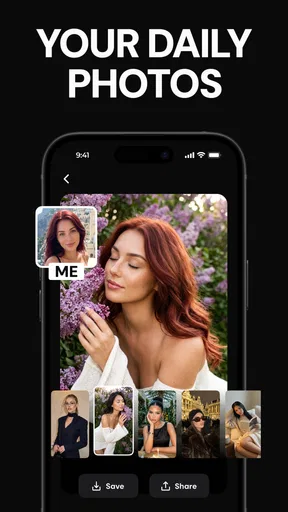
 Analysis by AppCompare
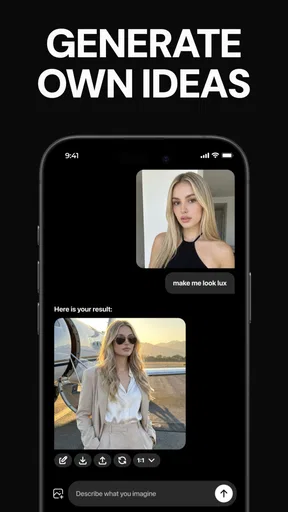
When I start with an ordinary phone photo and want something more eye-catching than a quick crop or filter, I reach for an AI editor rather than opening a full desktop program. Version AI: AI Photo Generator is aimed at that kind of fast creative change: bring in a picture, choose a direction, and see how an AI treatment reshapes it. I find that approach most useful when I have an idea for a post or a profile image but not the time or editing experience to build the look from scratch.
Who benefits from this kind of workflow
This photography app is a natural fit for people who enjoy trying different visual treatments on personal photos, especially portraits and social posts. Apptribe Dijital is the developer, and the app has a 4.6 average from around 13,000 ratings, with over 100,000 installs. It is free to download and rated for Everyone, so trying the basic experience does not require a purchase upfront. I would still treat it as a creative tool rather than a replacement for a camera or a careful retouching suite.
The main appeal is the gap between having a photo and having a finished visual idea. A small-business owner might want a more polished seasonal image; someone planning a trip could turn a snapshot into a playful travel-themed image; and a casual user might simply want a selfie that feels less familiar. Those are useful goals for a quick generator, but they are different from preserving a documentary photo exactly as it was taken.
From a phone photo to a usable result
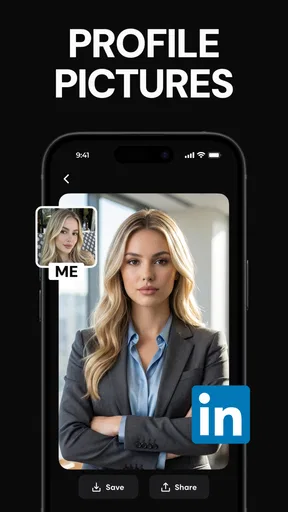
My practical workflow would begin with a clear, well-lit source image. I’d choose a picture where the person or object is easy to distinguish from the background, then try one treatment at a time. That makes it easier to judge whether the change improves the image or just makes it busier. For a portrait, I’d keep the original nearby and compare the face, hair edges, and overall expression before sharing the result.
That comparison is a useful habit with generated edits: the most dramatic option is not always the most convincing one. If the image is meant for a business profile or a product post, I’d favor a restrained result that still looks like the real subject. For a playful story or a private experiment, a more obviously artistic treatment can be part of the fun. Keeping the intended audience in mind helps me avoid spending time polishing an image that does not fit its purpose.
There is also a practical handoff to think about. A finished image may move from the editor to a social app, a message, or a small-business page, and each destination has its own expectations for crop and tone. I would check the composition at the size where it will actually appear, rather than assuming a detailed edit will read well as a tiny profile picture. If the image is for a listing or a client-facing post, I’d preserve the unedited original so I can return to an accurate version when needed.
Getting Started with Version AI
Jumping into Version AI: AI Photo Generator is a breeze. Once you’ve downloaded it, the interface welcomes you with a clean and intuitive design. You don't have to be a tech wizard to navigate through its features, which is one of the things I absolutely love about it. You can start by choosing a photo from your gallery or snapping a new one. The app then prompts you to select the kind of magic you want to sprinkle on your picture.
Worth Reading Before You Choose

EA SPORTS FC Mobile 26 Is a Bigger Football Game, but It Takes Time

Flipboard Shows What News Apps Must Do Beyond the Feed

Switching to Android Auto Means Rethinking Your Driving Routine

Google Calendar Makes a Crowded Week Easier to Manage

Ludo King Makes the Most of the Minutes Between Plans

Baby Panda World Brings Quick Play to Modern Phones, but Its Game Library Feels Busy
Features That Spark Creativity
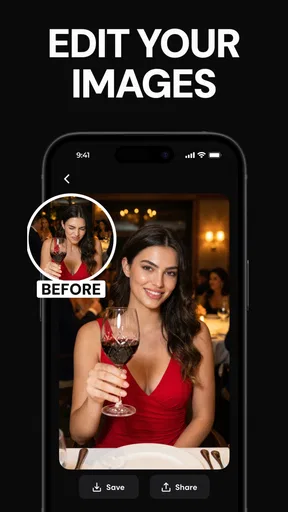
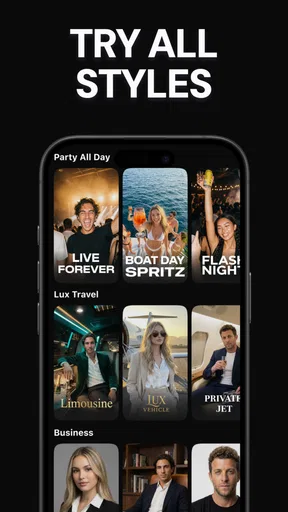
The app is packed with a variety of AI-powered tools that let you experiment with your images. Whether you want to enhance the colors, add artistic filters, or transform a photo into a painting, the options are plentiful. One feature that stood out to me is the "Artistic Styles". It’s like having a mini art studio where you can apply styles reminiscent of famous painters like Van Gogh or Picasso. I found it fascinating how a regular selfie could suddenly look like a masterpiece!
Another standout feature is the background editing tool. This is where things get really fun. You can replace boring backgrounds with vibrant sceneries or abstract designs. It’s incredibly useful if you want to give your social media photos a unique twist. Plus, the AI does a pretty decent job of recognizing the subject, so you don’t end up with awkward edges around your head.
Performance and Usability
Performance-wise, the app runs smoothly on both Android and iOS. I tested it on a mid-range device, and it handled the processing without much lag. However, if you’re working with high-resolution images, there might be a slight wait time as the AI works its magic.
As for usability, the app is quite user-friendly. Each tool is accompanied by a brief description and a demo, so you know exactly what each feature does before you apply it. It’s also worth mentioning that the app offers a tutorial for new users, which is a nice touch for those who might feel overwhelmed by the range of options.
Choosing edits with a purpose
For a realistic weekday use, imagine taking a quick portrait before leaving for work, then wanting a more polished image for a profile or a post later that day. I’d start with a photo that has even light and a simple background, test a style that suits the intended use, and inspect the result before exporting or sharing it. If the subject’s outline looks unnatural or the style changes the person too much, I’d switch to a subtler treatment or use the original. That small check matters more than trying every option in one sitting.
Compared with a conventional photo editor, the appeal here is speed and creative transformation rather than precise control over every adjustment. A standard editor is usually the better choice when I need exact exposure corrections, careful skin retouching, consistent product colors, or a series of images that must match. A generator is more inviting when I want a quick visual concept without manually building layers. The trade-off is that AI can make choices I would not make myself, so I treat the output as a draft to review rather than an unquestionable final.
It also helps to work from a copy when the original matters. A generated look can be fun for a post, but it may be unsuitable for a résumé photo, a factual record, or a product image where accurate appearance is important. I’d avoid presenting an altered scene as an untouched photograph, particularly in contexts where viewers rely on the image as evidence. For casual creative sharing, the transformation is the point; for accurate representation, restraint is the better tool.
Why I Think You'll Love It
What makes Version AI: AI Photo Generator stand out is its ability to make photo editing accessible and fun. You don’t need to be an expert to create images that pop. The app does a fantastic job of bringing professional-grade editing tools to your fingertips. It’s perfect for anyone who loves to experiment with their photos and share creative content online.
Moreover, the app is frequently updated with new filters and tools, which means there's always something new to try. The developers seem committed to enhancing the user experience, and that’s something I really appreciate.
Where I’d draw the line
I would skip this style of app if my main need were dependable, pixel-level editing or a repeatable look across a large batch of images. A photographer who needs fine control, a shop owner who must keep product details true to life, or anyone who dislikes generated changes may be happier with a traditional editor. The AI approach is strongest when experimentation is welcome; it is less suitable when precision and consistency matter more than novelty.
Cost is another decision point. The app is free to start, while in-app purchases range from $7.99 to $49.99 per item. I’d explore the free experience first and decide whether a paid option solves a specific need before spending. That is a sensible way to avoid paying for a feature just because its preview looks appealing. The current version is 1.0.42, and it requires Android 7.0 or later; anyone using a different platform should check the relevant store’s compatibility details before relying on it.
In Conclusion
If you’re looking to spice up your photo editing game, Version AI: AI Photo Generator is definitely worth checking out. It’s a delightful blend of technology and creativity, making it easy for anyone to produce stunning visuals. Whether you’re using it for personal projects or to enhance your social media presence, this app is bound to impress. So go ahead, unleash your inner artist and see what amazing creations you can come up with!
My recommendation is to approach it with one clear image and one clear purpose: test a portrait treatment, try a new background for a casual post, or explore an artistic style for a personal project. Keep the original, inspect the details, and only share the result when it fits the context. That makes the app’s quick creative flow more useful, while keeping its limitations in view.
Pros
- Easy-to-use interface for quick edits.
- Wide variety of styles to choose from.
- High-quality image outputs.
- Fast processing time for photo generation.
- Regular updates with new features.
Cons
- Requires internet connection for full features.
- Limited free options; premium is costly.
- Occasional ads disrupt user experience.
- Some styles lack customization options.
- Large app size may affect storage.
FAQs for Version AI: AI Photo Generator
What is Version AI: AI Photo Generator used for?
Version AI: AI Photo Generator is an app designed to transform your photos using advanced artificial intelligence. It offers a variety of filters and effects that automatically enhance images, making it ideal for users wanting to create professional-quality visuals without needing extensive editing skills.
Is Version AI: AI Photo Generator user-friendly for beginners?
Yes, Version AI: AI Photo Generator is designed with an intuitive interface that caters to users of all levels. Beginners will find it easy to navigate through its features, while more experienced users can leverage its advanced tools to refine their images further.
Does Version AI: AI Photo Generator require an internet connection?
The app requires an internet connection for initial downloads and updates, as well as to access certain cloud-based features. However, many of its core functions are available offline, allowing users to edit photos without continuous internet access.
Are there any in-app purchases in Version AI: AI Photo Generator?
Yes, while Version AI: AI Photo Generator offers a range of free features, it also includes premium filters and effects that require in-app purchases. Users can choose to unlock these additional tools through a subscription or one-time payment, depending on their needs.
What platforms is Version AI: AI Photo Generator available on?
Version AI: AI Photo Generator is available for both Android and iOS devices. Users can download it from the Google Play Store or the Apple App Store, ensuring compatibility with a wide range of smartphones and tablets.


